

Documentation Index
Fetch the complete documentation index at: https://polar.sh/docs/llms.txt
Use this file to discover all available pages before exploring further.
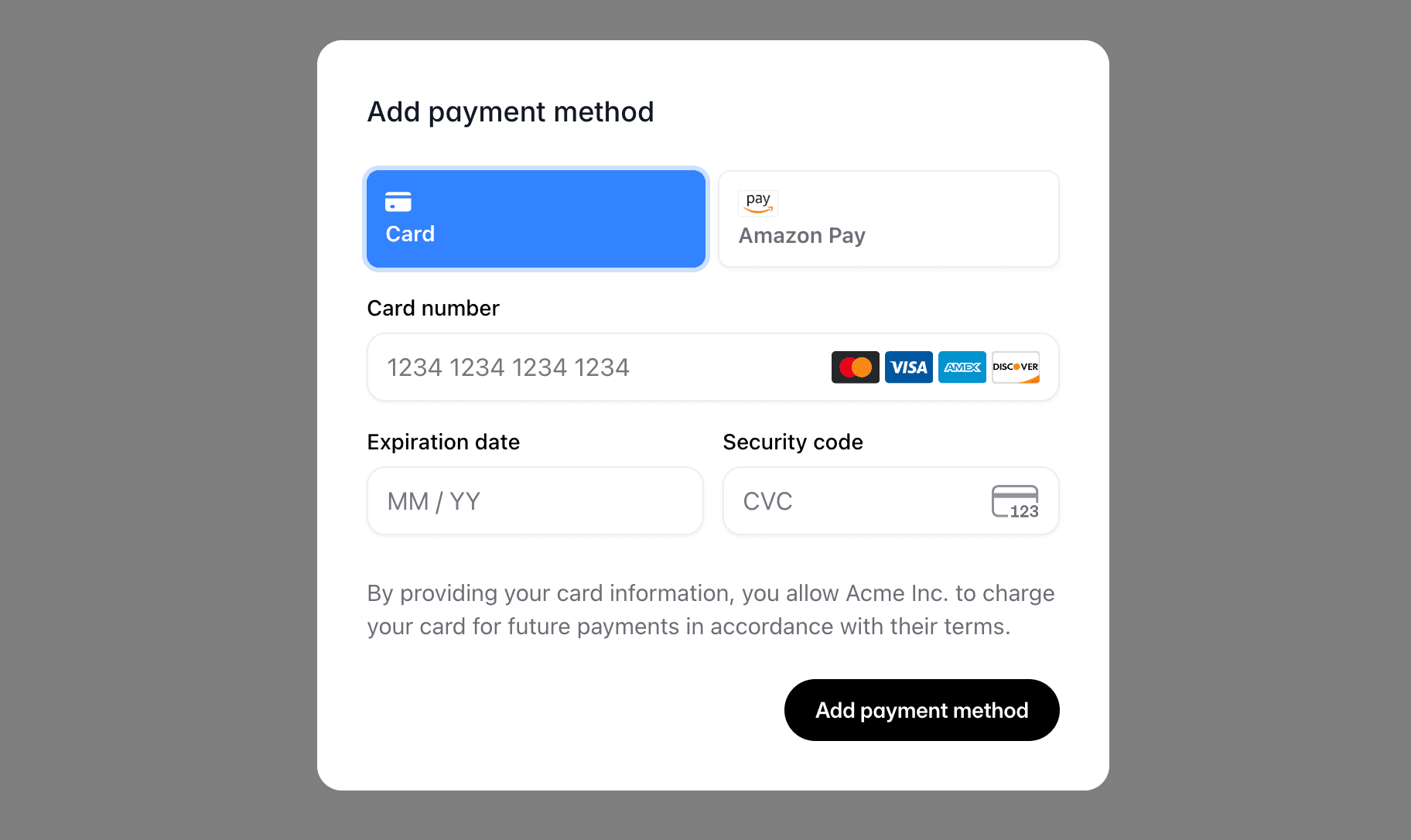
Let your customers securely add a payment method without leaving your site.
Getting a session token
Every embed is authenticated with a short-lived customer session token. Create it on your server to keep the Polar access token secret, then hand the token to the client.
import { Polar } from "@polar-sh/sdk";
const polar = new Polar({ accessToken: process.env.POLAR_ACCESS_TOKEN });
const session = await polar.customerSessions.create({
customerId: "the-customer-id",
});
The token expires after one hour and is scoped to that single customer.
Implementation
Start by installing the SDK.
npm install @polar-sh/checkout
Modal
PolarEmbedPaymentMethod.create() opens the embed as a full-screen modal overlay.
import { PolarEmbedPaymentMethod } from "@polar-sh/checkout/payment-method";
const embed = await PolarEmbedPaymentMethod.create({
sessionToken: session.token,
});
embed.addEventListener("success", (event) => {
console.log({event});
});
create() options:
| Option | Type | Default | Description |
|---|
sessionToken | string | — | Required. Customer session token. |
theme | 'light' | 'dark' | light | Colour scheme. |
setAsDefault | boolean | true | Whether the new card should become the customer’s default payment method. |
returnUrl | string | current URL | Where to return the customer after a redirect-based payment method (Amazon Pay, Klarna). Defaults to window.location.href. |
locale | string | 'en' | BCP47 locale for the embed UI and Stripe Elements (e.g. 'en', 'fr-FR'). Unsupported locales fall back to English. |
onLoaded | (event: CustomEvent) => void | — | Convenience callback for the loaded event. Equivalent to embed.addEventListener('loaded', …). |
Modal in React
Open the modal from a Client Component event handler:
"use client";
import { PolarEmbedPaymentMethod } from "@polar-sh/checkout/payment-method";
interface Props {
sessionToken: string;
}
export function AddPaymentMethodButton({sessionToken}: Props) {
const onClick = async () => {
const embed = await PolarEmbedPaymentMethod.create({ sessionToken });
embed.addEventListener("success", (event) => {
console.log({event});
});
};
return <button onClick={onClick}>Add payment method</button>;
}
Inline embed (vanilla JS)
Mount a chrome-less, auto-resizing iframe into an element you control:
import { PolarEmbedPaymentMethod } from "@polar-sh/checkout/payment-method";
const embed = PolarEmbedPaymentMethod.createInline({
sessionToken: session.token,
element: document.getElementById("payment-method")!,
});
embed.addEventListener("success", (event) => {
console.log({event});
});
createInline() accepts the same options as create() (except returnUrl) plus a required element (the container to mount into).
Inline embed (React)
Use the <PolarPaymentMethod /> component:
import { PolarPaymentMethod } from "@polar-sh/checkout/react/payment-method";
return (
<PolarPaymentMethod
sessionToken={session.token}
onSuccess={(paymentMethodId) => console.log({paymentMethodId})}
/>
);
Code Snippet
The simplest integration: add the script and a trigger element with data-polar-payment-method. Clicking the element opens the modal.
<button data-polar-payment-method="polar_cst_xxx">Add payment method</button>
<script
defer
data-auto-init
src="https://cdn.jsdelivr.net/npm/@polar-sh/checkout@latest/dist/embed.global.js"
></script>
The same script also powers embedded checkout triggers — one tag covers every Polar embed.
| Attribute | Value | Description |
|---|
data-polar-payment-method | string | Required. The session token. Clicking the element opens the modal. |
data-polar-payment-method-theme | light | dark | Optional theme override. |
data-polar-payment-method-set-as-default | true | false | Optional. Default true. Pass "false" to add the card without overriding the existing default. |
data-polar-payment-method-return-url | string | Optional. Return URL for redirect-based payment methods. Defaults to the current page. |
data-polar-payment-method-locale | string | Optional. BCP47 locale (e.g. 'en', 'fr-FR'). Unsupported locales fall back to English. |
Localization
The embed is fully localized, pass a BCP47 code via the locale option (or data-polar-payment-method-locale attribute):
const embed = await PolarEmbedPaymentMethod.create({
sessionToken: session.token,
locale: "fr-FR",
});
When omitted, the embed defaults to English. Unsupported locales also fall back to English. See Localization for the full list of supported languages.
Events
All events are dispatched as cancelable CustomEvents on the embed instance. Call event.preventDefault() to opt out of the SDK’s default action.
| Event | Detail | Default action |
|---|
loaded | — | Removes the loader spinner once the iframe is ready. |
close | — | Tears down the iframe (unless locked by a pending confirmed). |
confirmed | — | Marks the modal as non-closable while Stripe is processing. |
success | { paymentMethodId: string } | Auto-closes the modal. Call preventDefault() to keep it open. |
error | { code: 'invalid_request' | 'unauthorized' | 'processing_failed' | 'unknown' } | Re-enables closing the modal after a failure. |
Redirect-based payment methods
Some payment methods authorise on the provider’s own site. The browser navigates the whole tab away and back to returnUrl (defaults to the page the SDK was opened from), so the modal can’t survive the round-trip.
Read the outcome on the returned page with the static getRedirectResult():
import { PolarEmbedPaymentMethod } from "@polar-sh/checkout/payment-method";
const result = PolarEmbedPaymentMethod.getRedirectResult();
// result: { status: 'succeeded' | 'failed' } | null
if (result?.status === "succeeded") {
// refresh the customer's payment methods
}
In React, use the usePaymentMethodRedirectResult hook to avoid writing your own effect:
import { usePaymentMethodRedirectResult } from "@polar-sh/checkout/react/payment-method";
usePaymentMethodRedirectResult({
onSuccess: () => console.log("Payment method added"),
onError: () => console.error("Could not add payment method"),
});
Either way, the status query param is stripped from the URL so a refresh won’t surface a stale result. Card payments (3DS) complete inside the modal and never trigger this path.