

How Credits Work
When you ingest events into a Usage Meter, customers will be charged for the usage based on the product’s pricing model. However, sometimes you may want to give your customers the ability to pre-pay for usage instead of risk getting a hefty bill at the end of the month. When you issue Credits to a customer, we first deduct the Credits from their Usage Meter balance. If the Usage Meter balance reaches 0, the customer will be charged for the overage.Credits-only spending
To avoid any overage charges, don’t create any Metered price on your product. This way, billing won’t be triggered at all for the meterIssuing Credits with the Credits Benefit
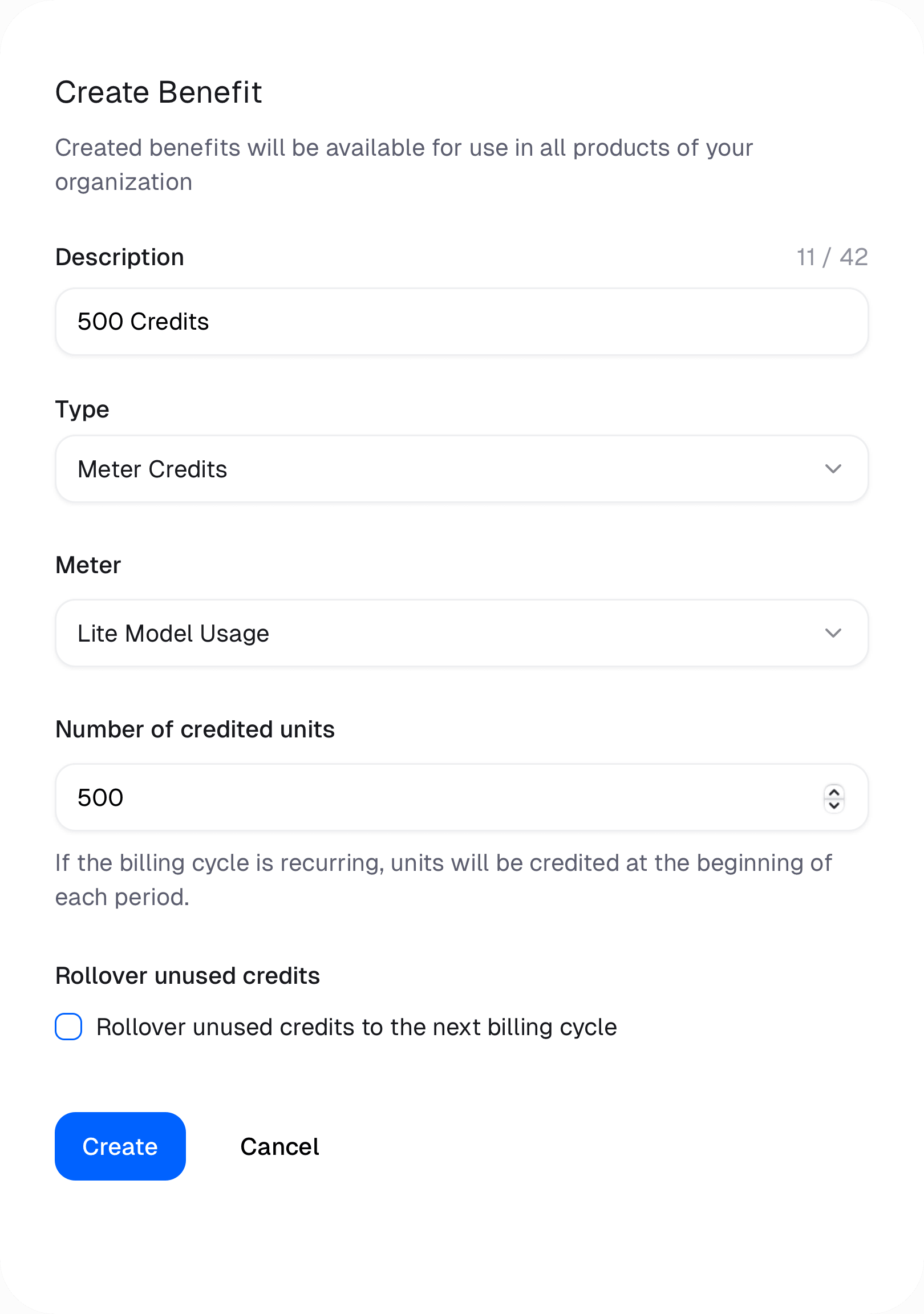
Subscription Products
The customer will be credited the amount of units specified in the benefit at the beginning of every subscription cycle period — monthly or yearly. If the product has a meter cycle, credits are granted at the start of every meter period instead. For example, a yearly plan with a monthly meter cycle grants credits every month. No credits are granted while the subscription ispast_due.
One-Time Products
The customer will be credited the amount of units specified in the benefit once at the time of purchase.Granting Credits Manually
You can also credit a customer’s Usage Meter directly, for example as a goodwill gesture or to top up a balance outside of a purchase. Manual credits are added on top of any credits granted through a Meter Credits benefit.From the dashboard
Open a customer and choose Add Credits from the customer menu, use Add credits on a meter row in the customer’s Usage tab, or open a customer meter and click Add credits. Pick the meter, enter the number of credits and choose whether unused credits roll over to the next billing cycle (on by default). The panel previews the new balance and, for billed meters, how much of the current overage the credits cover.From the API
Manual credits are available from API version
2027-01.POST /v1/customer-meters/credits. It requires the customers:write scope. Identify the customer and meter either with Polar IDs (customer_id and meter_id) or with external IDs (external_customer_id and external_meter_id); the two styles can’t be mixed in one request.
unitsis a whole number between 1 and 1,000,000,000.rolloverdefaults tofalse: unused credits expire at the end of the meter period unless you set it totrue.external_idis optional. Retrying with the sameexternal_idand the same request returns the original credit instead of granting it twice. Reusing it for a different credit returns a409.- The meter must belong to the customer’s organization and can’t be archived.
meter.credited event that was recorded. The customer meter balance is updated before the response is returned; if the meter is being updated at the same moment, the balance catches up shortly after.
Reversing a manual credit
A manual credit added by mistake can be reversed, either with Reverse on the credit in the customer meter’s history, or with the Reverse Customer Meter Credit endpoint,POST /v1/customer-meters/credits/{id}/reverse, where id is the ID of the meter.credited event returned when the credit was granted.
Reversal removes only the units the customer hasn’t used yet; units already consumed stay consumed. Usage draws from non-rollover credits before rollover credits. A reversal is rejected when:
- The credit is older than 7 days.
- The credit was granted during a period that has already been invoiced.
- The credit has already been reversed. Each credit can be reversed once.
- All of the credited units have already been used.
Credit history
Every credit, reversal and revocation is recorded as ameter.credited system event on the customer. Its metadata contains:
meter_id: the meter that was credited.units: the number of units. Revoked benefit credits and reversals have negative units.rollover: whether unused units carry over to the next meter period.reason:benefitfor credits granted through the Meter Credits benefit, including rolled-over units, ormanualfor credits granted from the dashboard or API.
parent_id set to the ID of the credit it reverses.