

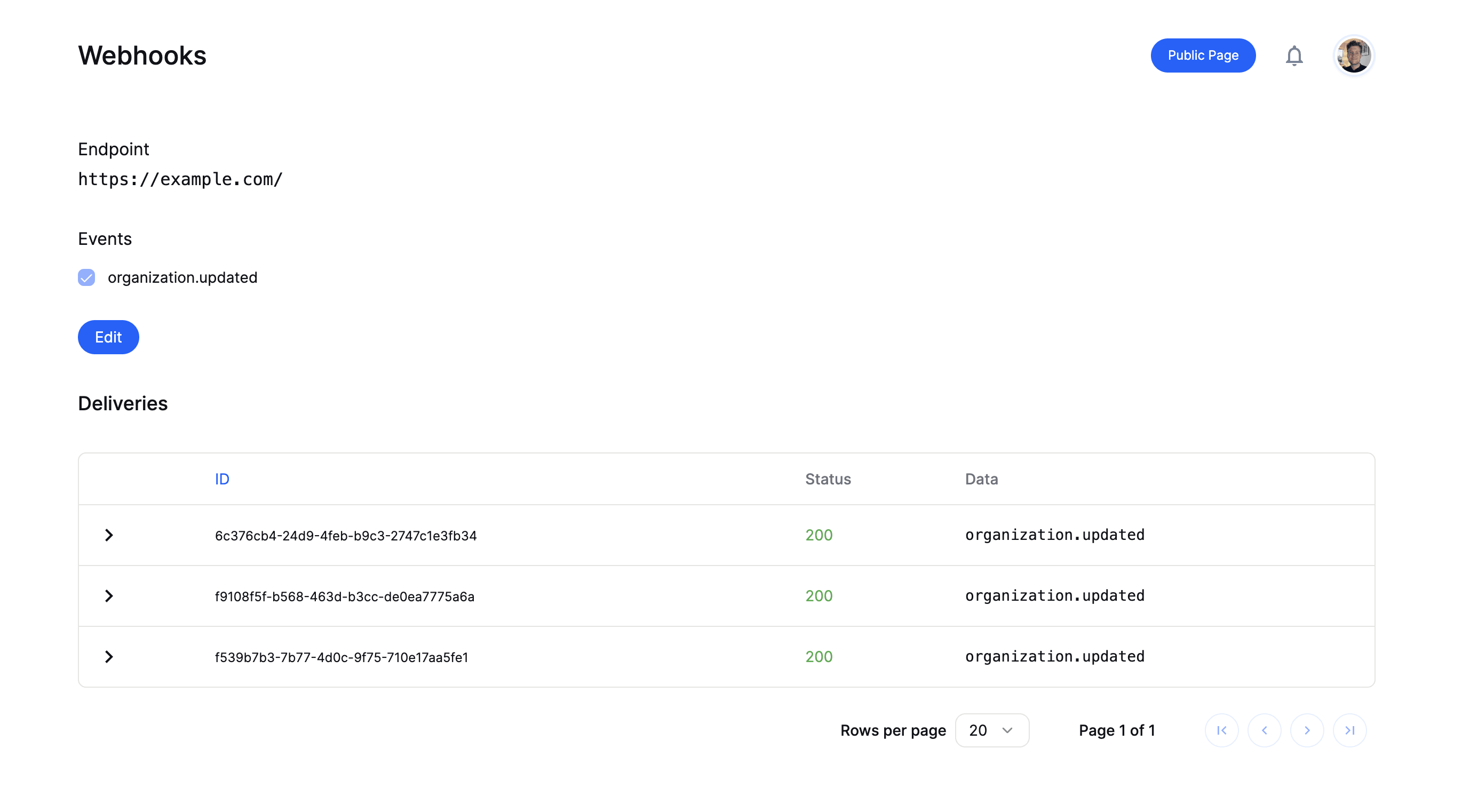
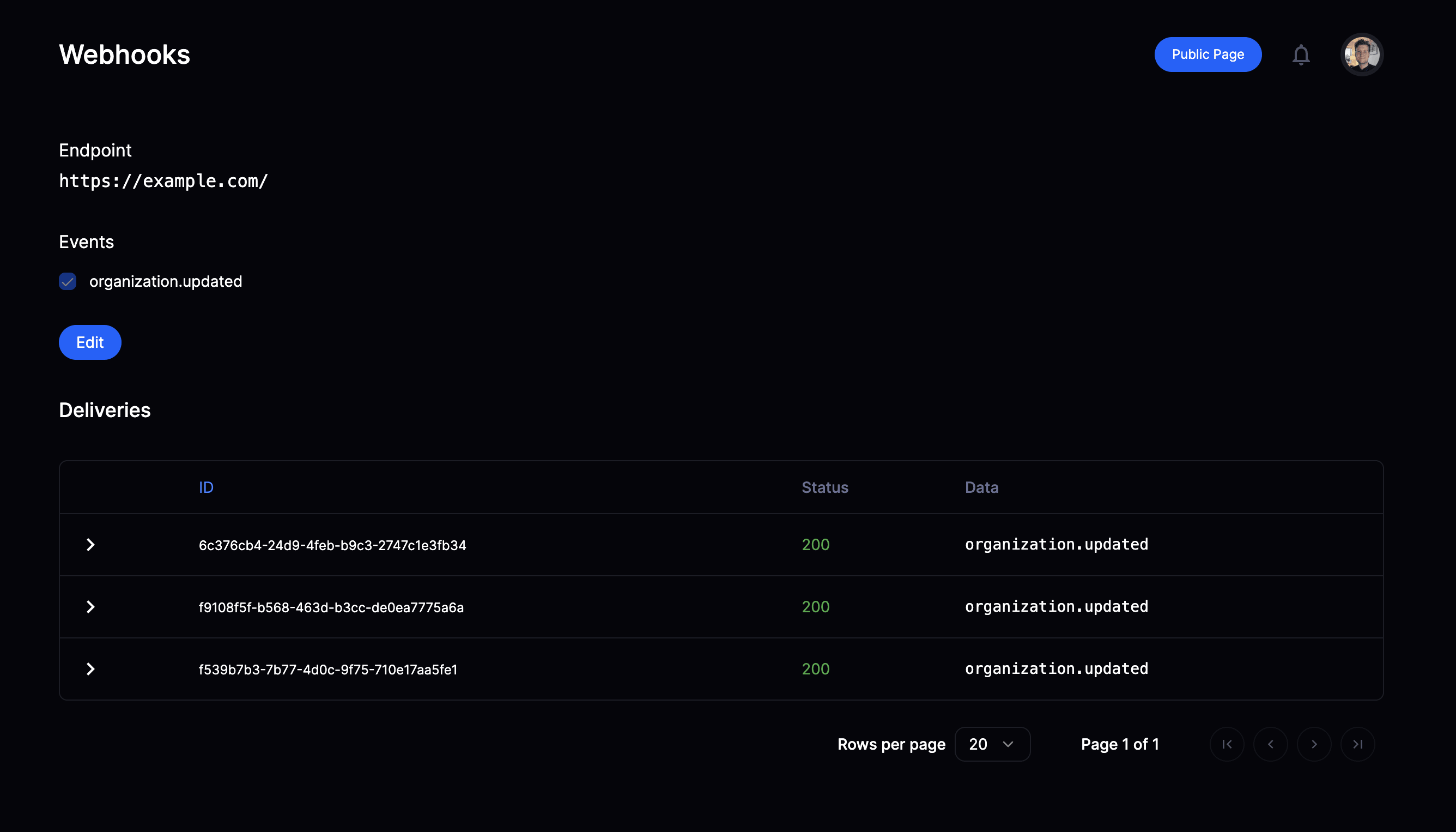
- See historic deliveries
- Review payload sent
- Trigger redelivery in case of failure
Validate & parse webhooks
You now need to setup a route handler for the endpoint registered on Polar to receive, validate and parse webhooks before handling them according to your needs.Using our SDKs
Our TypeScript & Python SDKs come with a built-in helper function to easily validate and parse the webhook event - see full examples below.POLAR_WEBHOOK_SECRET
to be set to the secret you configured during the endpoint setup.
Custom validation
Use a Standard Webhooks library or follow the specification. Secrets generated on or after 8 September 2026, 00:00 UTC are Standard Webhooks. Older secrets are Polar HMAC.Signing schemesPolar sends one
webhook-signature. The HMAC key is which secret you have.Before 8 September 2026, 00:00 UTC: Polar HMAC. Key is the UTF-8 bytes of
the full whsec_… string. Base64-encode that string before you hand it to a
Standard Webhooks library.On or after that instant: Standard Webhooks.
Pass the whsec_… secret to the library as-is.Polar SDKs 1.0.0-alpha.19 and later try both keys. Pass the whsec_… secret
from the dashboard.IP Allowlist
If you are using a firewall or a reverse proxy that requires IP allowlisting, here are the IPs range you need to allow:New IP addressA new IP address will soon start sending production webhooks. Allow it now so
deliveries aren’t blocked when we start using it:
Failure Handling
Delivery Retries
If we hit an error while trying to reach your endpoint, whether it is a temporary network error or a bug, we’ll retry to send the event up to 10 times with an exponential backoff.Delivery Timeouts
We currently timeout our requests to your endpoint after 10 seconds, triggering a retry attempt after a delay as explained above. However, we strongly recommend you optimize your endpoint route to respond within 2 seconds to ensure reliable delivery. We may lower the timeout threshold in the future, so we advise implementing your webhook handler to queue a background worker task to handle the payload asynchronously.Endpoint Disabling
Webhook endpoints are automatically disabled after 10 consecutive failed deliveries (non-2xx responses). When this happens:- The endpoint is marked as disabled and will no longer receive new events.
- All organization members will receive an email notification.
Troubleshooting
Not receiving webhooks
Seeing deliveries on Polar, but not receiving them on your end? Below are some common techniques to resolve the issue depending on the reported error status. General Start ngrok or similar Make sure you have startedngrok or whatever tunneling service you’re using
during local development.
Add excessive logging
E.g
console.log('webhook.handler_called'),
console.log('webhook.validate_signature'),
console.log('webhook.signature_validated') etc.
So you can easily confirm if the handler is called and how far it gets before
any issues arise.
HTTP 404
- Try
curl -vvv -X POST <copy-paste-endpoint-url>in your terminal to confirm the route exists and see any issues along the way - Try adding trailing
/to the URL on Polar. Often/foois resolved to/foo/by frameworks.
HTTP 3xx
Redirect responses (301, 302, 307, etc.) are treated as failures. Polar does not follow redirects for webhook deliveries. Update your webhook URL to the final destination URL to avoid redirects.
A common cause is hosting providers like Vercel that redirect between www and non-www domains. Make sure your configured URL matches your actual domain.
HTTP 403
- Using middleware for authorization? Make sure to exclude the webhook route from it since it needs to be publicly accessible
- Using Cloudflare?
- Check the firewall logs to verify if they are blocking our requests and setup a custom WAF rule to accept incoming requests from Polar.
- Webhook delivery failures with 403 errors can occur when Cloudflare’s Bot Fight Mode is enabled. Bot Fight Mode automatically blocks requests it identifies as bots, including legitimate webhook requests from Polar. Adding Polar’s IP addresses to your IP Allow List or creating custom WAF rules will not resolve this issue. To fix webhook delivery problems, disable Bot Fight Mode in your Cloudflare dashboard under Security > Bots. Alternatively, you can check your Cloudflare firewall logs to confirm if requests are being blocked and create appropriate firewall rules if needed.
Invalid signature exceptions
Rolling your own validation? Older secrets are Polar HMAC: base64-encode the entirewhsec_… string. Secrets generated on or after 8 September 2026, 00:00
UTC are Standard Webhooks: pass the secret as-is. Polar SDKs 1.0.0-alpha.19 and
later try both.