> ## Documentation Index
> Fetch the complete documentation index at: https://polar.sh/docs/llms.txt
> Use this file to discover all available pages before exploring further.
# Tax Inclusive Pricing
> Control whether your product prices include or exclude tax at checkout
When displaying a price to a customer, there are two common conventions: either the displayed price **already includes tax** (inclusive), or tax is **calculated and added on top** at checkout (exclusive). Polar gives you fine-grained control over this behavior at both the organization level and on individual product prices.
## Tax Behavior Options
There are three options available:
| Option | Description |
| ------------------ | -------------------------------------------------------------------------------------------------- |
| **Location-based** | Polar automatically picks the right behavior based on the customer's country. This is the default. |
| **Inclusive** | The price shown to the customer already includes tax. Tax is extracted from the total at checkout. |
| **Exclusive** | The price shown to the customer is before tax. Tax is calculated and added on top at checkout. |
**Location-based** is the recommended option for most businesses. It follows
common regional conventions — customers in the United States, Canada, and
India see exclusive pricing, while customers in the rest of the world (e.g.
EU, UK) see inclusive pricing.
### How it affects checkout
* **Inclusive**: If a product is priced at \$12.00 and the tax rate is 20%, the customer pays \$12.00 — \$2.00 of which is tax and \$10.00 is the net amount.
* **Exclusive**: If a product is priced at \$10.00 and the tax rate is 20%, the customer pays \$12.00 — \$10.00 net plus \$2.00 tax added on top.
In both cases the tax amount is fully visible and itemized on the checkout page and on receipts.
## Setting the Default Tax Behavior
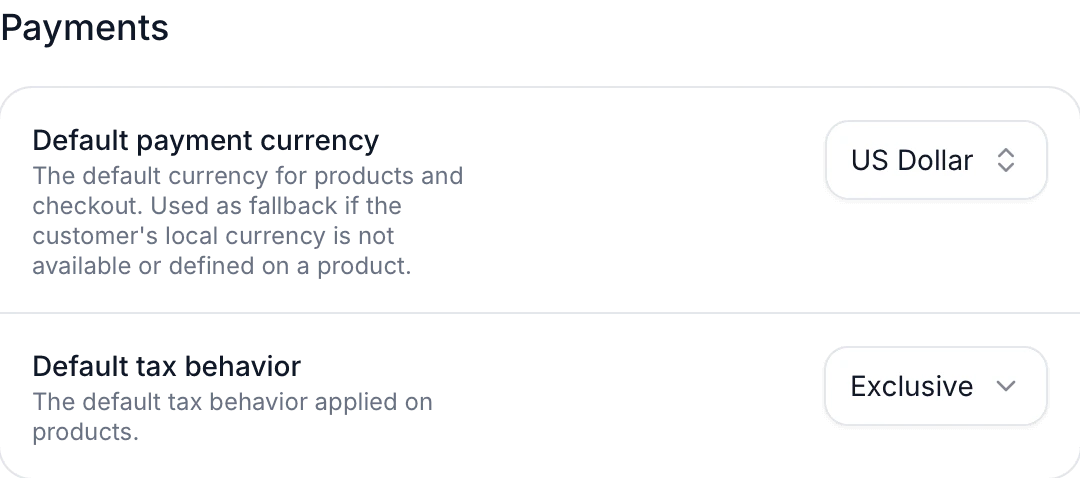
The default tax behavior applies to all products in your organization that don't have a price-level override.
To change it:
1. Go to your organization's settings.
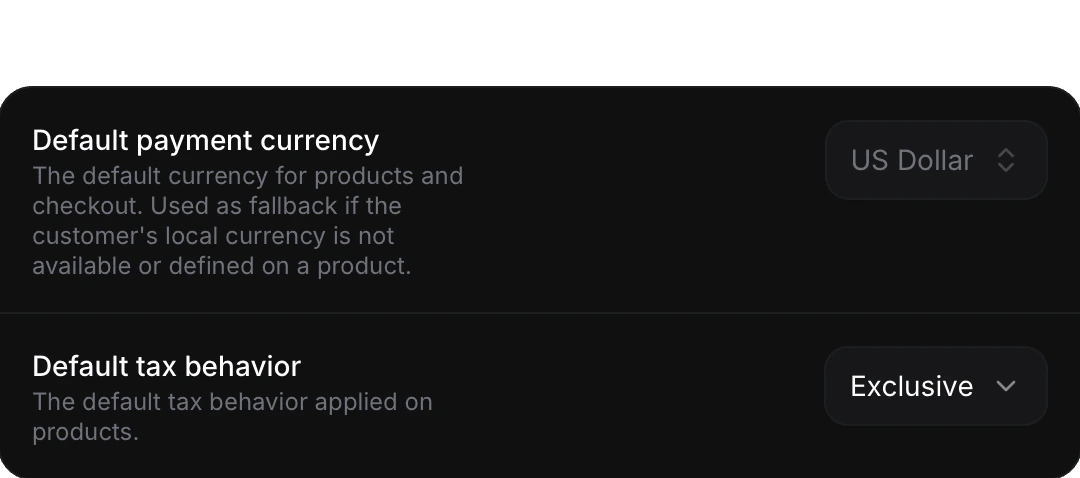
2. Find the **Default tax behavior** selector under the **Payments** section.
3. Choose **Location-based**, **Inclusive**, or **Exclusive**.
4. The setting is saved automatically.
 ## Location-based Behavior in Detail
When the tax behavior is set to **Location-based**, Polar resolves the actual inclusive/exclusive behavior at checkout time based on the customer's billing address:
| Countries | Behavior |
| ---------------------------- | ----------------------------------------------------------- |
| United States, Canada, India | **Exclusive** — tax is added on top of the listed price |
| All other countries | **Inclusive** — tax is already included in the listed price |
This follows prevailing regional conventions: North American and Indian consumers generally expect prices before tax, while European and most other international customers expect VAT-inclusive pricing.
## Relationship with Merchant of Record
As a [Merchant of Record](/merchant-of-record/introduction), we handle the calculation, collection, and remittance of sales taxes globally on your behalf. Tax behavior only controls **how the price is presented** to your customer — it does not affect whether tax is collected or how much is owed.
Regardless of the tax behavior chosen, Polar always:
* Calculates the correct tax amount for the customer's jurisdiction.
* Displays the tax breakdown clearly on the checkout page.
* Issues a compliant receipt that itemizes the tax amount.
* Remits the collected tax to the appropriate tax authorities.
Changing the tax behavior on a price does **not** change the effective tax
rate or your tax obligations. It only changes whether the stated price is
presented as tax-included or tax-excluded to the customer.
## Location-based Behavior in Detail
When the tax behavior is set to **Location-based**, Polar resolves the actual inclusive/exclusive behavior at checkout time based on the customer's billing address:
| Countries | Behavior |
| ---------------------------- | ----------------------------------------------------------- |
| United States, Canada, India | **Exclusive** — tax is added on top of the listed price |
| All other countries | **Inclusive** — tax is already included in the listed price |
This follows prevailing regional conventions: North American and Indian consumers generally expect prices before tax, while European and most other international customers expect VAT-inclusive pricing.
## Relationship with Merchant of Record
As a [Merchant of Record](/merchant-of-record/introduction), we handle the calculation, collection, and remittance of sales taxes globally on your behalf. Tax behavior only controls **how the price is presented** to your customer — it does not affect whether tax is collected or how much is owed.
Regardless of the tax behavior chosen, Polar always:
* Calculates the correct tax amount for the customer's jurisdiction.
* Displays the tax breakdown clearly on the checkout page.
* Issues a compliant receipt that itemizes the tax amount.
* Remits the collected tax to the appropriate tax authorities.
Changing the tax behavior on a price does **not** change the effective tax
rate or your tax obligations. It only changes whether the stated price is
presented as tax-included or tax-excluded to the customer.