> ## Documentation Index
> Fetch the complete documentation index at: https://polar.sh/docs/llms.txt
> Use this file to discover all available pages before exploring further.
# Purchase Power Parity with ParityDeals
> Offer products with different price across the globe
Want to offer different prices in different countries? [ParityDeals](https://www.paritydeals.com/) offers [automatic pricing optimizations depending on customers geolocation](https://www.paritydeals.com/features/purchasing-power-parity-discounts/) and a seamless integration with Polar.
## Simple Integration, Powerful Deals
* You can easily and securely (OAuth 2.0) connect Polar to ParityDeals
* Select products on Polar to offer deals for
* Configure deals by country or holidays
* ParityDeals automatically creates and manages discounts on Polar
* Showing them to customers based on time and geolocation (unless VPN is detected)
* Offering great & local deals internationally with ease
## Setup Guide
### Signup to ParityDeals
Go to [app.paritydeals.com](http://app.paritydeals.com) and sign up.
### Connect Polar on ParityDeals
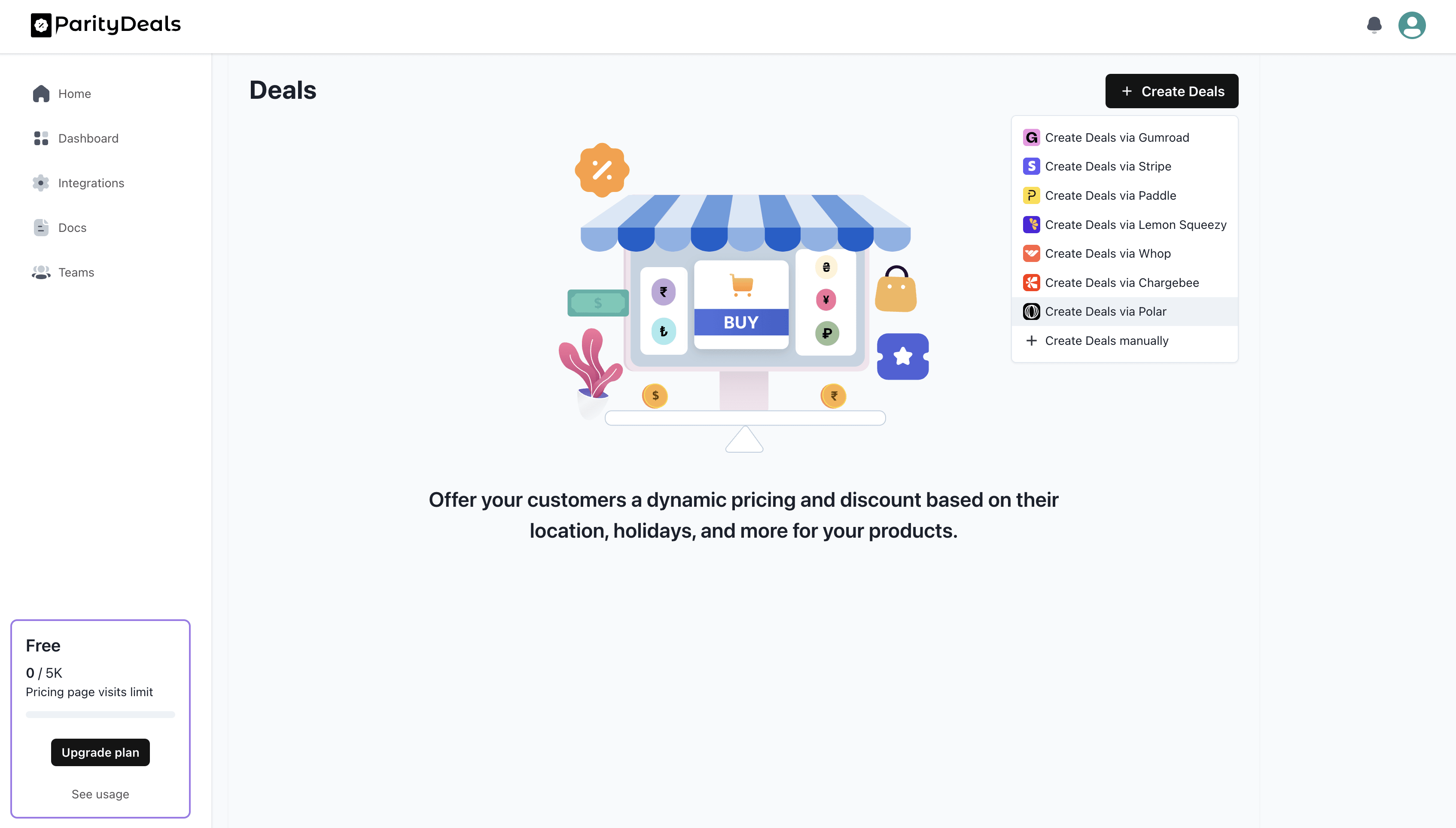
In your ParityDeals dashboard, click `Create Deals` > `Create Deals with Polar`.
 ### Grant ParityDeals Access (OAuth 2.0)
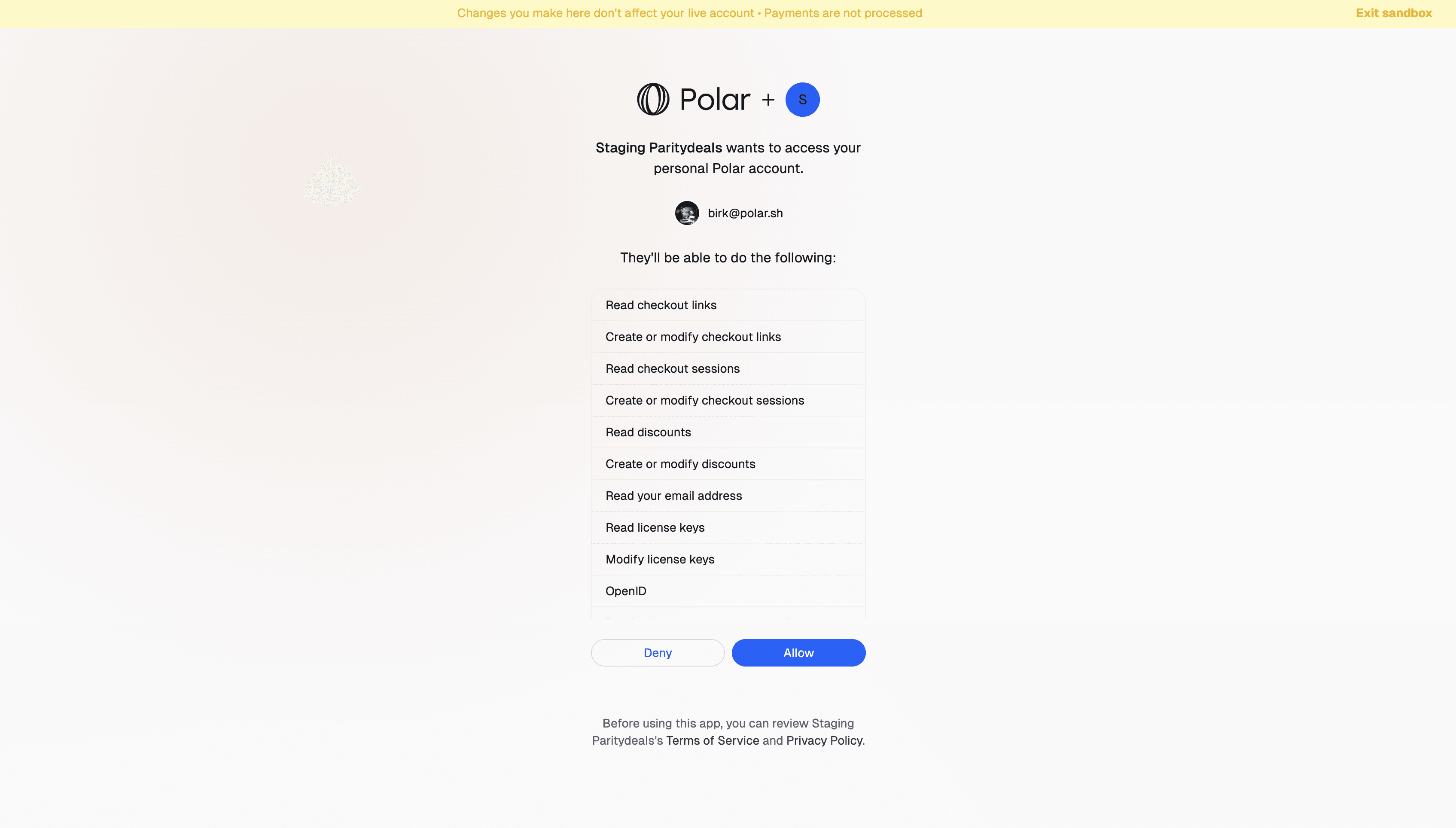
No need to create API access keys and share them externally. Just connect securely and grant the necessary permissions using Polar OAuth 2.0.
### Grant ParityDeals Access (OAuth 2.0)
No need to create API access keys and share them externally. Just connect securely and grant the necessary permissions using Polar OAuth 2.0.
 ### Choose Products
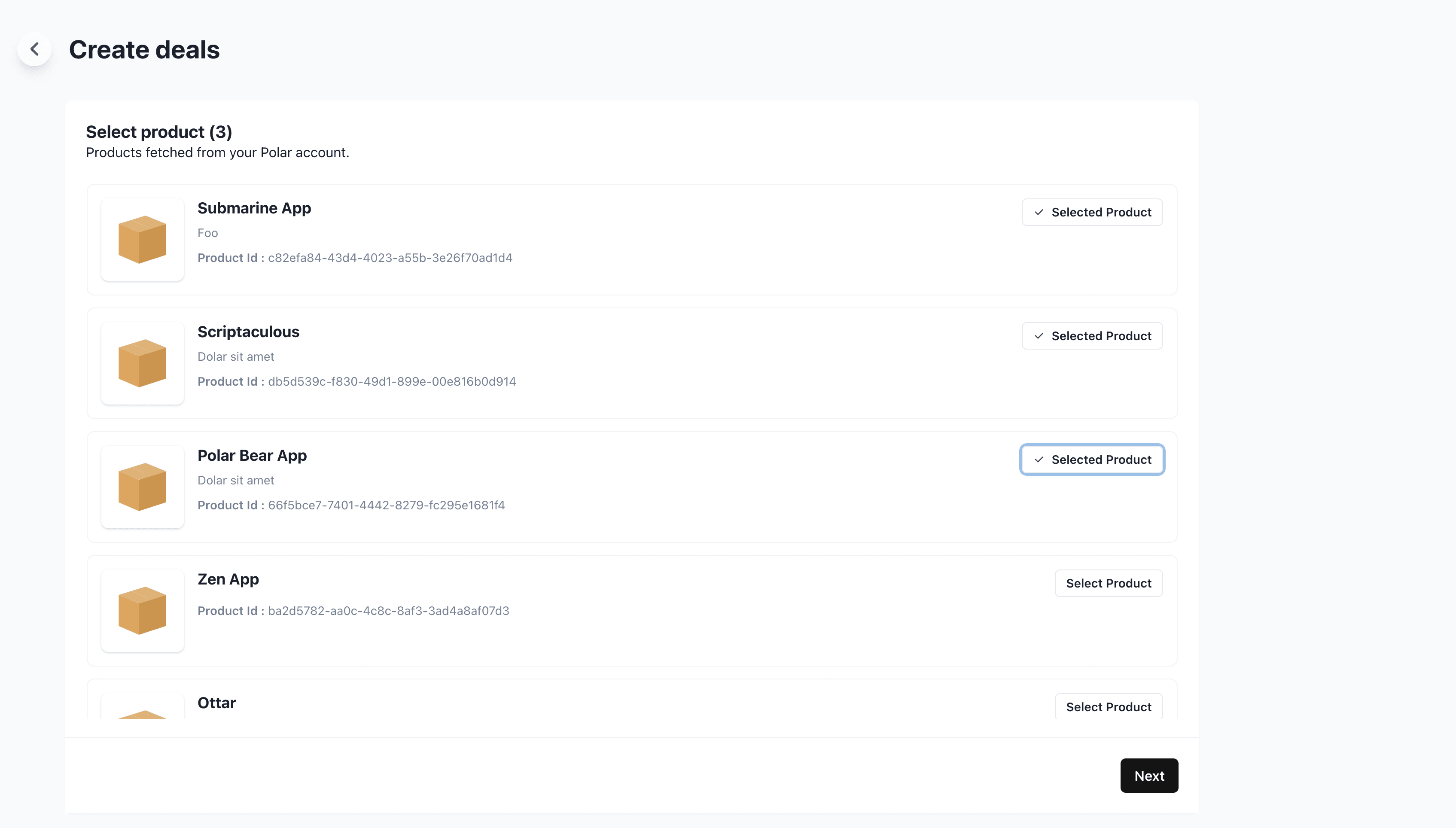
Now, let's select the Polar products you want to offer deals for.
### Choose Products
Now, let's select the Polar products you want to offer deals for.
 ### Configure Deals
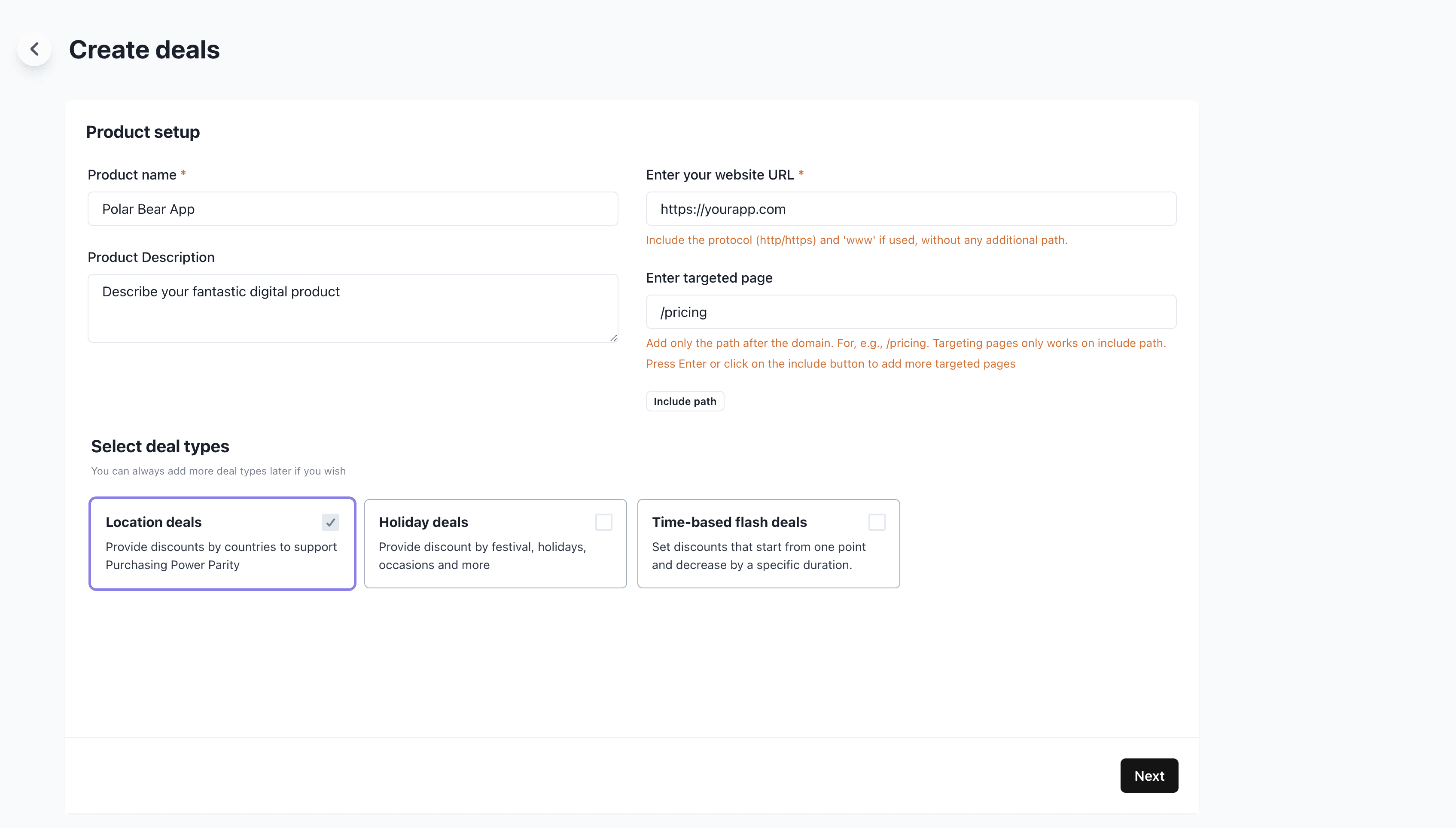
Let's configure our deal settings.
* Enter your website URL (requires your own site vs. Polar storefront)
* Enter a targeted URL path, e.g `/pricing` to only show deals on that page
### Configure Deals
Let's configure our deal settings.
* Enter your website URL (requires your own site vs. Polar storefront)
* Enter a targeted URL path, e.g `/pricing` to only show deals on that page
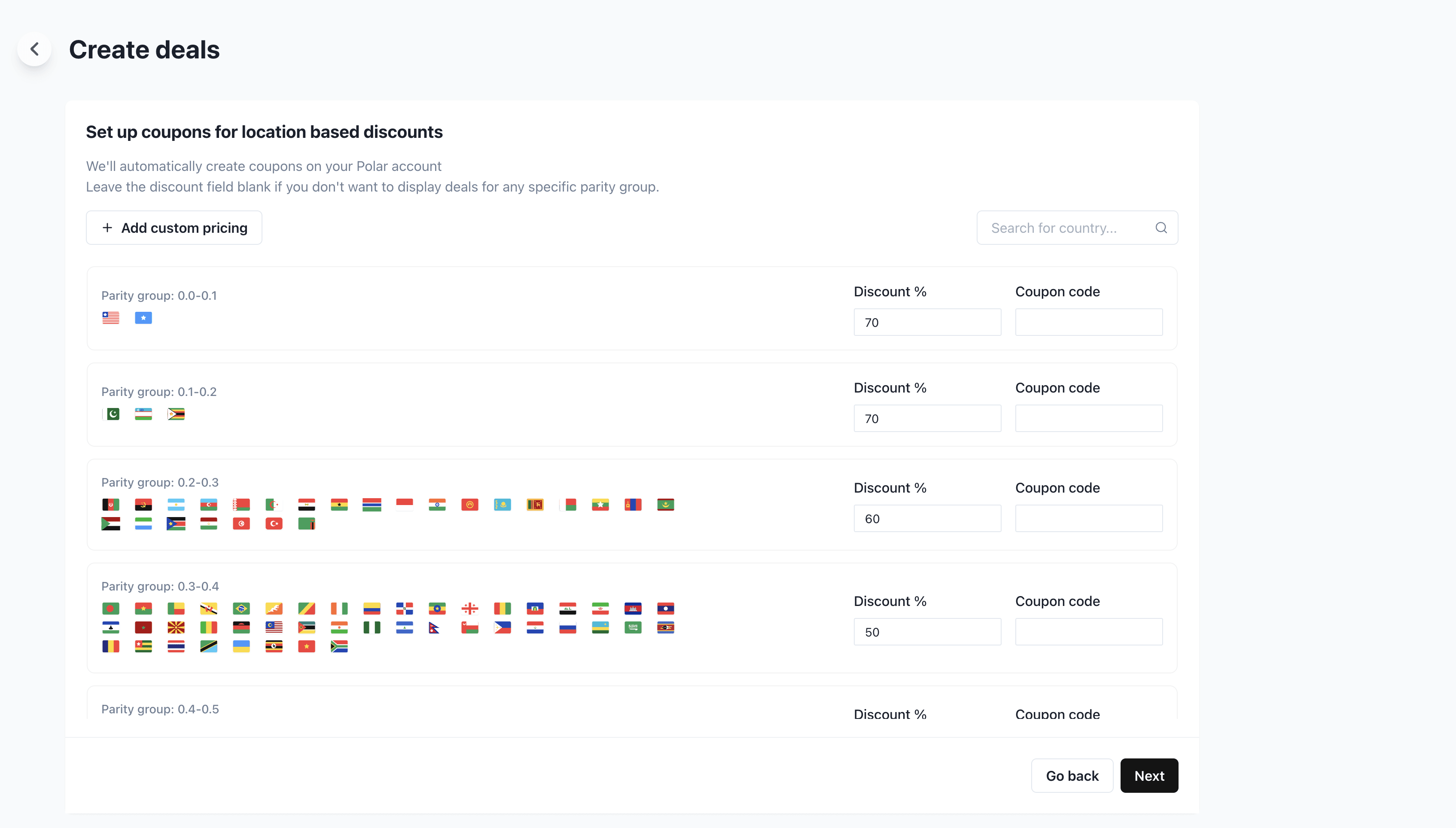
 Now we can configure the deals for different countries. ParityDeals offers great defaults, but you can of course change them.
 ### Configure Banner
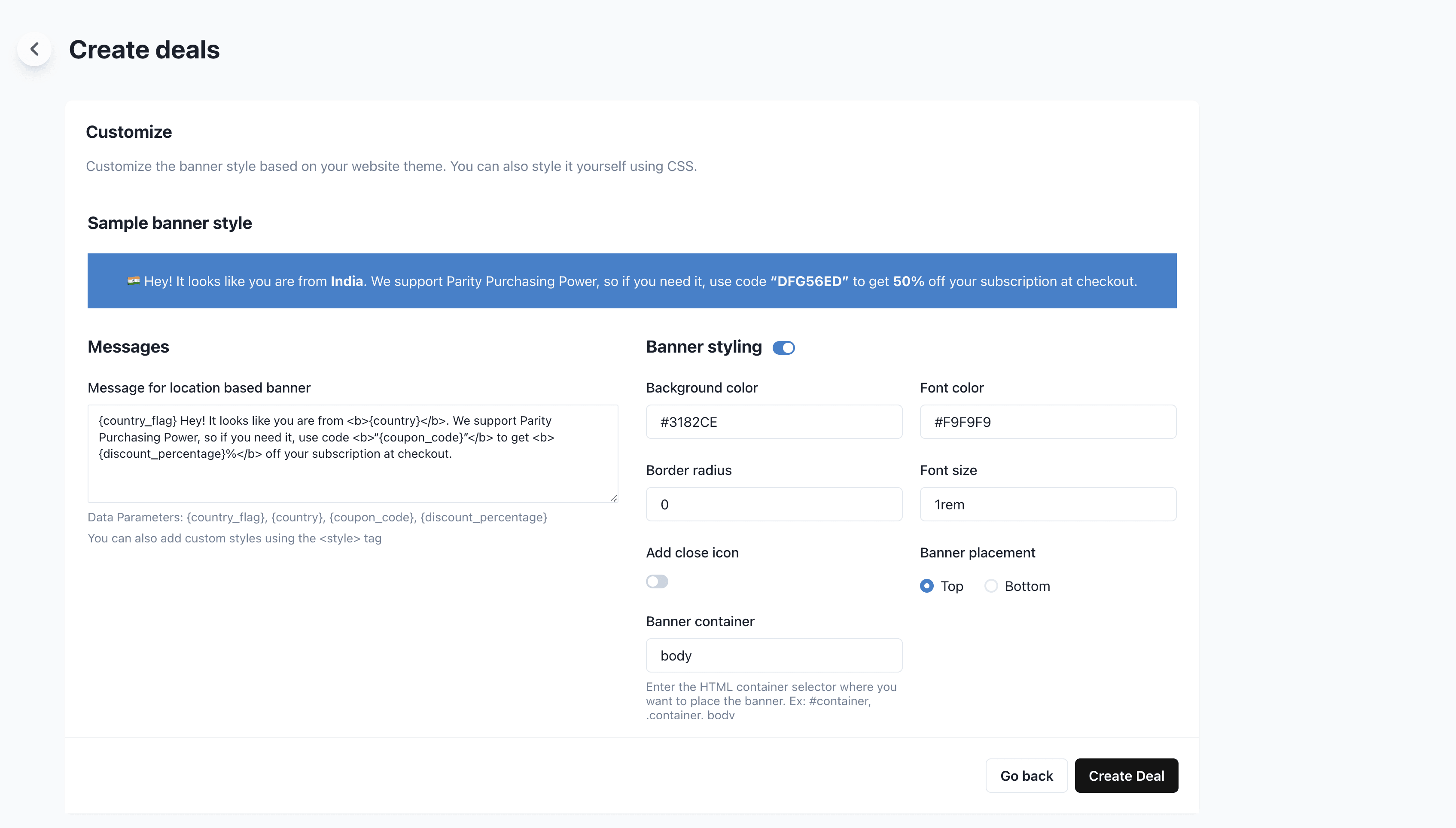
You can then customize the ParityDeals banner to suit your site and design.
### Configure Banner
You can then customize the ParityDeals banner to suit your site and design.
 ### Embed Banner
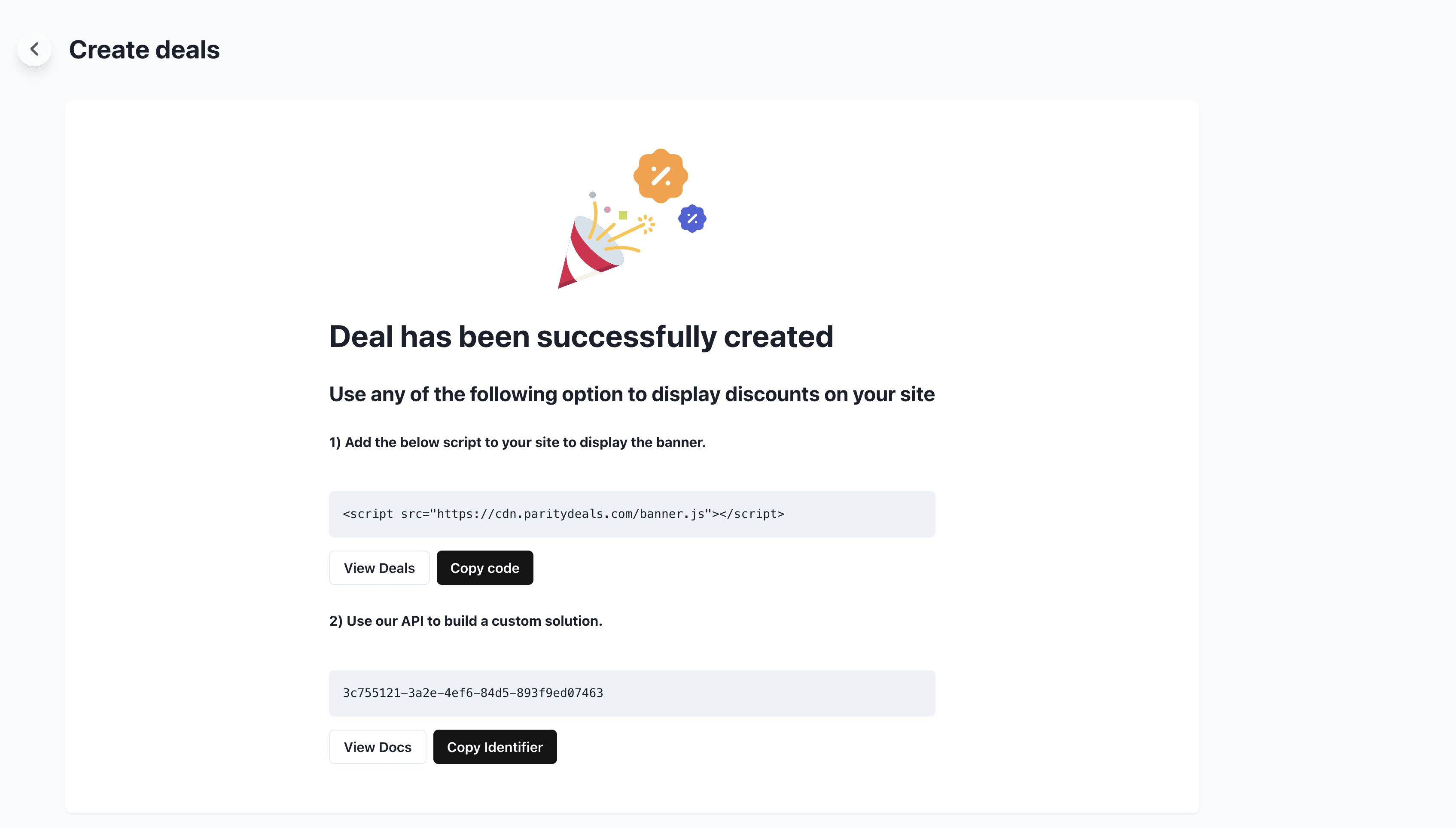
Finally, we're all setup over at ParityDeals. Just copy the script to their banner and embed it on your site. You're now done 👏🏼
### Embed Banner
Finally, we're all setup over at ParityDeals. Just copy the script to their banner and embed it on your site. You're now done 👏🏼
 ## Questions & Help
Checkout the [ParityDeals documentation](https://www.paritydeals.com/docs/) for more guides and information.
## Questions & Help
Checkout the [ParityDeals documentation](https://www.paritydeals.com/docs/) for more guides and information.