> ## Documentation Index
> Fetch the complete documentation index at: https://polar.sh/docs/llms.txt
> Use this file to discover all available pages before exploring further.
# Checkout API
> Create checkout sessions programmatically for complete control
If you want to integrate more deeply the checkout process with your website or application, you can use our dedicated API.
The first step is to [create a Checkout session](/api-reference/checkouts/create-session). For this you'll need at least your **Product ID**.
You can retrieve your Product ID from Products in your dashboard, click on "context-menu" button in front of your product and click on Copy Product ID.
The API will return you an object containing all the information about the session, including **an URL where you should redirect your customer** so they can complete their order.
You can force the checkout page theme by appending `?theme=dark` or `?theme=light` to the session URL. Without it, the theme follows the customer's system preference.
## Multiple products
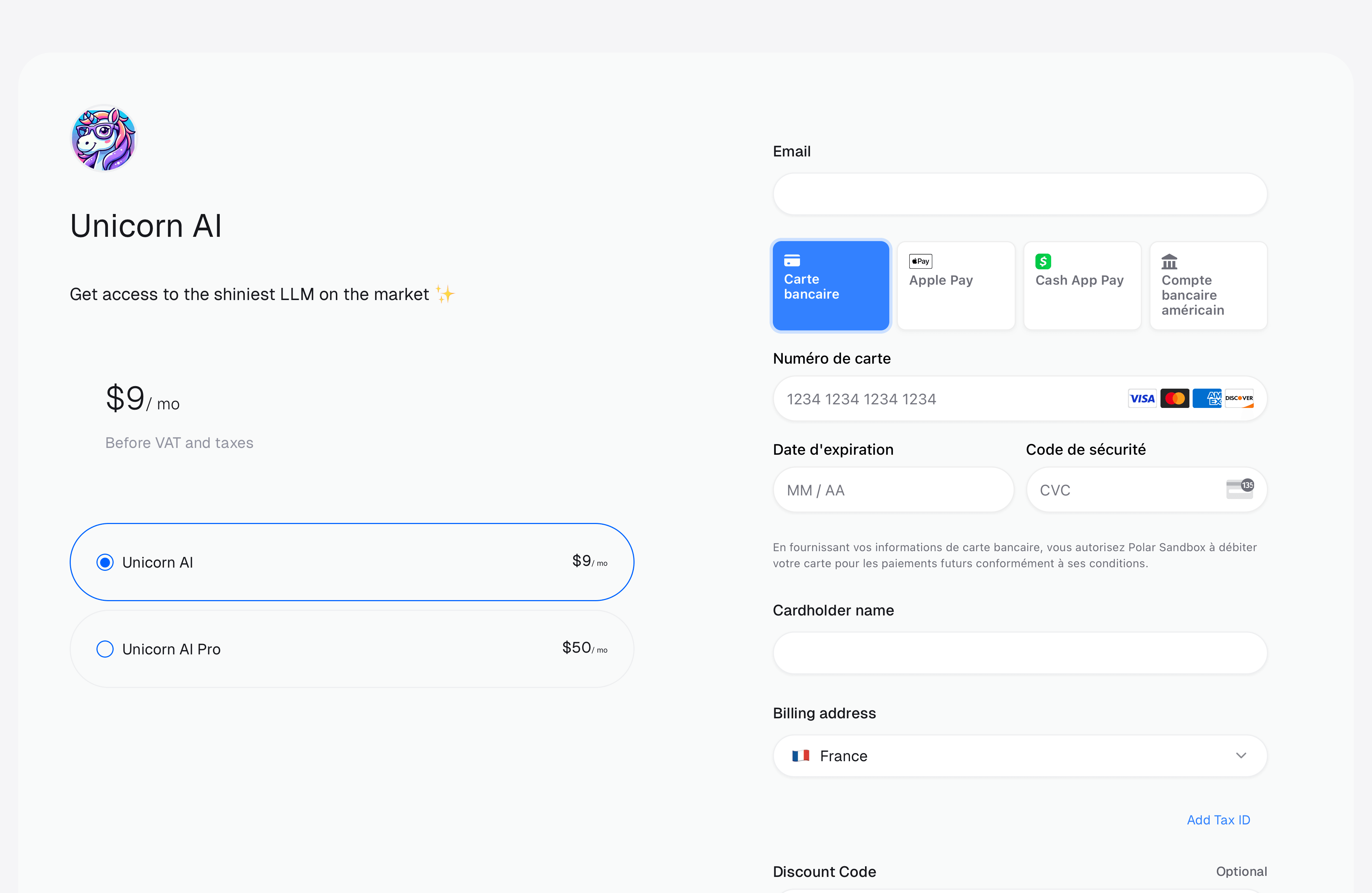
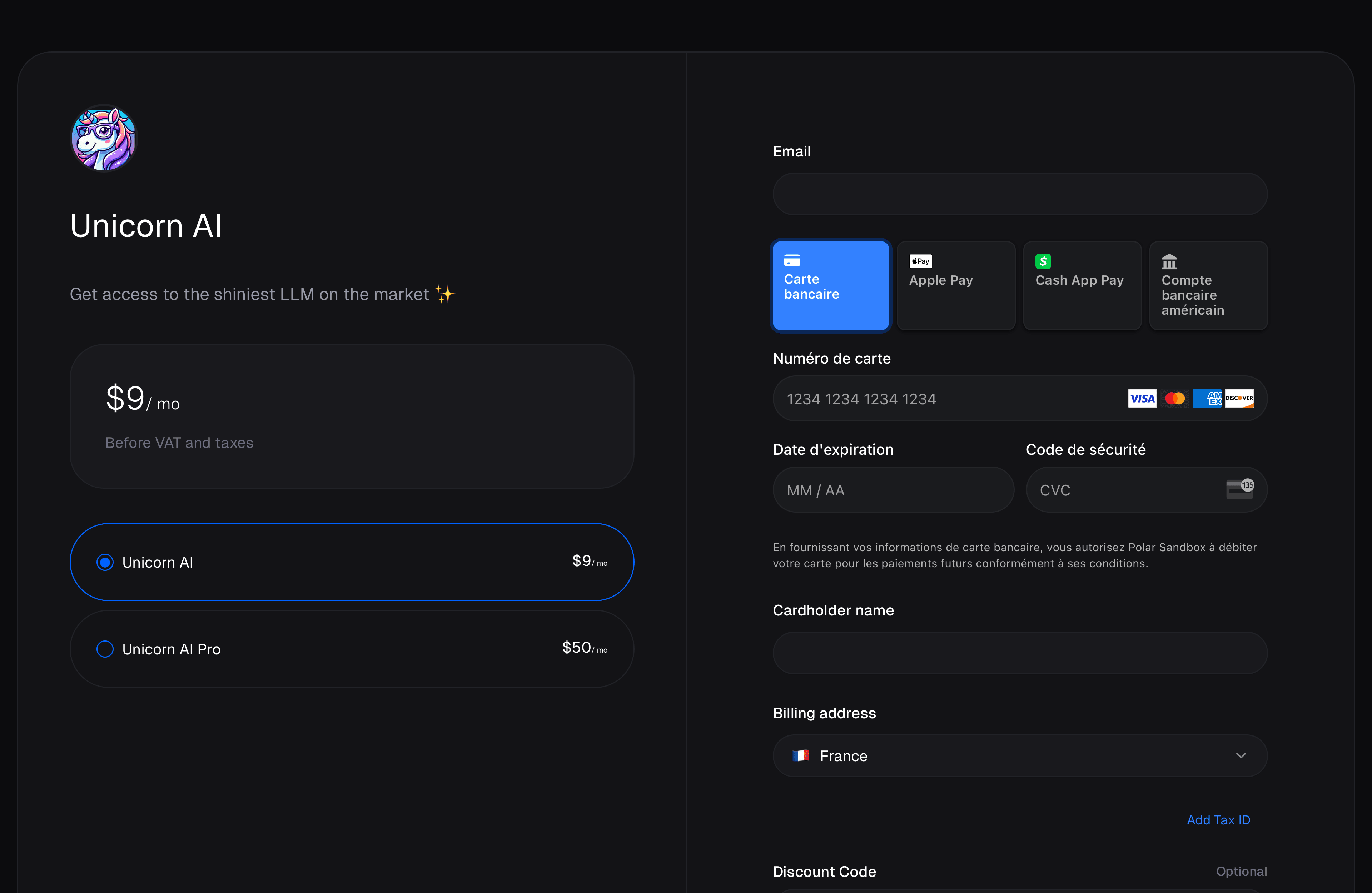
You can create a checkout session with multiple products. This is useful if you want to allow your customers to choose between different products before they checkout. Products are shown in the order you pass them in the `products` array.
 ## Ad-hoc prices
For advanced use cases where you need complete control over pricing, you can create ad-hoc prices directly when creating a checkout session. Ad-hoc prices are temporary prices that exist only for that specific checkout session and don't appear in your product's catalog.
This is useful when you need to:
* Apply dynamic pricing based on user-specific factors
* Create custom pricing tiers for specific customers
* Implement usage-based or calculated pricing that varies per checkout
* Test pricing variations without modifying your product catalog
When creating a checkout session, you can pass a `prices` parameter that maps product IDs to an array of price definitions. These prices will be created on-the-fly and associated with the checkout session.
Ad-hoc prices are marked with `source: "ad_hoc"` in the API response, while catalog prices have `source: "catalog"`. Ad-hoc prices are temporary and specific to the checkout session.
### Example
```ts TypeScript theme={null}
import { Polar } from "@polar-sh/sdk";
const polar = new Polar({
accessToken: process.env["POLAR_ACCESS_TOKEN"] ?? "",
});
async function run() {
const checkout = await polar.checkouts.create({
products: ["productId"],
prices: {
"productId": [
{
amountType: "fixed",
priceAmount: 10000, // $100.00
priceCurrency: "usd",
}
]
}
});
console.log(checkout.url);
}
run();
```
```py Python theme={null}
from polar_sdk import Polar
with Polar(
access_token="",
) as polar:
checkout = polar.checkouts.create(request={
"products": [""],
"prices": {
"": [
{
"amount_type": "fixed",
"price_amount": 10000, # $100.00
"price_currency": "usd",
}
]
}
})
print(checkout.url)
```
### Price types
Ad-hoc prices support all the same price types as catalog prices:
* **Fixed**: A fixed amount price
* **Custom**: Pay-what-you-want pricing
* **Free**: No charge
* **Seat-based**: Pricing based on number of seats
* **Metered**: Usage-based pricing tied to a meter
For the complete schema of each price type, refer to the [Checkout API reference](/api-reference/checkouts/create-session).
## External Customer ID
Quite often, you'll have your own users management system in your application, where your customer already have an ID. To ease reconciliation between Polar and your system, you can inform us about your customer ID when creating a checkout session through the [`external_customer_id`](/api-reference/checkouts/create-session/) field.
After a successful checkout, we'll create a Customer on Polar with the external ID you provided. It'll be provided through the `customer.external_id` property in webhooks you may have configured.
When `customer_id` or `external_customer_id` is set, the customer's email is pre-filled and the email field is **disabled** on the checkout page. This ensures the order is always linked to the authenticated customer in your system.
## Customer IP address
When you create a checkout session, Polar uses the IP address of the request to detect the customer's country. This drives features like:
* **Currency auto-detection** for [products with multiple payment currencies](/features/products)
* **Pre-filling the billing country** on the checkout page, which is also used to compute taxes
If you use [checkout links](/features/checkout/links), this works automatically. But if you create sessions through the API from a **backend, proxy, or edge function** (e.g. your own API, a Cloudflare Worker, a Next.js route handler), Polar will see *your server's* IP — not the customer's — and the detection will be wrong.
In that case, forward the customer's IP address as `customer_ip_address` in the request body:
```ts TypeScript theme={null}
import { Polar } from "@polar-sh/sdk";
const polar = new Polar({
accessToken: process.env["POLAR_ACCESS_TOKEN"] ?? "",
});
const checkout = await polar.checkouts.create({
products: ["productId"],
customerIpAddress: request.headers.get("CF-Connecting-IP") ?? undefined,
});
```
```py Python theme={null}
from polar_sdk import Polar
with Polar(access_token="") as polar:
checkout = polar.checkouts.create(request={
"products": [""],
"customer_ip_address": request.client.host,
})
```
The exact way to read the connecting IP depends on your runtime — for example, `CF-Connecting-IP` on Cloudflare Workers, `x-forwarded-for` behind most proxies, or `request.client.host` in FastAPI.
When `customer_ip_address` is provided, you don't need to set `customer_billing_address.country` yourself — Polar will derive both the country and the currency from the IP.
## SDK examples
Using our SDK, creating a checkout session is quite straightforward.
```ts TypeScript theme={null}
import { Polar } from "@polar-sh/sdk";
const polar = new Polar({
accessToken: process.env["POLAR_ACCESS_TOKEN"] ?? "",
});
async function run() {
const checkout = await polar.checkouts.create({
products: ["productId"]
});
console.log(checkout.url)
}
run();
```
```py Python theme={null}
from polar_sdk import Polar
with Polar(
access_token="",
) as polar:
checkout = polar.checkouts.create(request={
"allow_discount_codes": True,
"product_id": "",
})
print(checkout.url)
```
## Ad-hoc prices
For advanced use cases where you need complete control over pricing, you can create ad-hoc prices directly when creating a checkout session. Ad-hoc prices are temporary prices that exist only for that specific checkout session and don't appear in your product's catalog.
This is useful when you need to:
* Apply dynamic pricing based on user-specific factors
* Create custom pricing tiers for specific customers
* Implement usage-based or calculated pricing that varies per checkout
* Test pricing variations without modifying your product catalog
When creating a checkout session, you can pass a `prices` parameter that maps product IDs to an array of price definitions. These prices will be created on-the-fly and associated with the checkout session.
Ad-hoc prices are marked with `source: "ad_hoc"` in the API response, while catalog prices have `source: "catalog"`. Ad-hoc prices are temporary and specific to the checkout session.
### Example
```ts TypeScript theme={null}
import { Polar } from "@polar-sh/sdk";
const polar = new Polar({
accessToken: process.env["POLAR_ACCESS_TOKEN"] ?? "",
});
async function run() {
const checkout = await polar.checkouts.create({
products: ["productId"],
prices: {
"productId": [
{
amountType: "fixed",
priceAmount: 10000, // $100.00
priceCurrency: "usd",
}
]
}
});
console.log(checkout.url);
}
run();
```
```py Python theme={null}
from polar_sdk import Polar
with Polar(
access_token="",
) as polar:
checkout = polar.checkouts.create(request={
"products": [""],
"prices": {
"": [
{
"amount_type": "fixed",
"price_amount": 10000, # $100.00
"price_currency": "usd",
}
]
}
})
print(checkout.url)
```
### Price types
Ad-hoc prices support all the same price types as catalog prices:
* **Fixed**: A fixed amount price
* **Custom**: Pay-what-you-want pricing
* **Free**: No charge
* **Seat-based**: Pricing based on number of seats
* **Metered**: Usage-based pricing tied to a meter
For the complete schema of each price type, refer to the [Checkout API reference](/api-reference/checkouts/create-session).
## External Customer ID
Quite often, you'll have your own users management system in your application, where your customer already have an ID. To ease reconciliation between Polar and your system, you can inform us about your customer ID when creating a checkout session through the [`external_customer_id`](/api-reference/checkouts/create-session/) field.
After a successful checkout, we'll create a Customer on Polar with the external ID you provided. It'll be provided through the `customer.external_id` property in webhooks you may have configured.
When `customer_id` or `external_customer_id` is set, the customer's email is pre-filled and the email field is **disabled** on the checkout page. This ensures the order is always linked to the authenticated customer in your system.
## Customer IP address
When you create a checkout session, Polar uses the IP address of the request to detect the customer's country. This drives features like:
* **Currency auto-detection** for [products with multiple payment currencies](/features/products)
* **Pre-filling the billing country** on the checkout page, which is also used to compute taxes
If you use [checkout links](/features/checkout/links), this works automatically. But if you create sessions through the API from a **backend, proxy, or edge function** (e.g. your own API, a Cloudflare Worker, a Next.js route handler), Polar will see *your server's* IP — not the customer's — and the detection will be wrong.
In that case, forward the customer's IP address as `customer_ip_address` in the request body:
```ts TypeScript theme={null}
import { Polar } from "@polar-sh/sdk";
const polar = new Polar({
accessToken: process.env["POLAR_ACCESS_TOKEN"] ?? "",
});
const checkout = await polar.checkouts.create({
products: ["productId"],
customerIpAddress: request.headers.get("CF-Connecting-IP") ?? undefined,
});
```
```py Python theme={null}
from polar_sdk import Polar
with Polar(access_token="") as polar:
checkout = polar.checkouts.create(request={
"products": [""],
"customer_ip_address": request.client.host,
})
```
The exact way to read the connecting IP depends on your runtime — for example, `CF-Connecting-IP` on Cloudflare Workers, `x-forwarded-for` behind most proxies, or `request.client.host` in FastAPI.
When `customer_ip_address` is provided, you don't need to set `customer_billing_address.country` yourself — Polar will derive both the country and the currency from the IP.
## SDK examples
Using our SDK, creating a checkout session is quite straightforward.
```ts TypeScript theme={null}
import { Polar } from "@polar-sh/sdk";
const polar = new Polar({
accessToken: process.env["POLAR_ACCESS_TOKEN"] ?? "",
});
async function run() {
const checkout = await polar.checkouts.create({
products: ["productId"]
});
console.log(checkout.url)
}
run();
```
```py Python theme={null}
from polar_sdk import Polar
with Polar(
access_token="",
) as polar:
checkout = polar.checkouts.create(request={
"allow_discount_codes": True,
"product_id": "",
})
print(checkout.url)
```